
When browsing the web, you may stumble upon some sites that display unwanted elements like annoying advertisements, distracting banners, big subscribe box, etc. If you’re searching for an easy way to remove such unwanted elements from the webpage, then here’s a Google Chrome extension for that purpose. Enter Page Eraser, an extension that lets you […]
Google Chrome
Download Torrents Directly on Chrome Browser (No Torrent Client Needed)

Download a file from the web is very simple and anyone can do it. But when we talk about downloading a BitTorrent, then first timers can scratch their head and they might think that this process is complicated, but in reality, that’s not true. The process is really very simple with programs like uTorrent which […]
How to Easily Remove Ads on Facebook
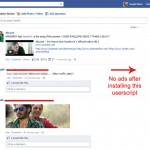
Be it websites that you stumble upon while surfing on the internet, or be it our social media site – Facebook, we all hate those annoying advertisements. Many times we have to click on that small x button that appears near the advertisement to close it. But clicking on that x to remove ads is […]
View Flickr Photos in Different Resolution/Sizes With A Single Click

Photo lovers can spend hours browsing Flickr. However, if you want to view a photo in different resolutions on Flickr, then the process involves opening the photo, clicking on “Actions” and then selecting the resolution from the next page. The process is lengthy and can become boring after doing this for some photos. How about […]
How To Always Open Bookmarks in New Tab [Firefox and Chrome]
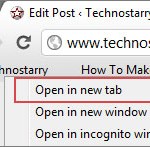
We love our browser bookmarks. Yes, they are the precious one that we really like. Bookmarks are shortcuts that help us to speedily open any webpage, be it homepage or inner page. When we click on a bookmark, many times we wish to open it in a new tab instead of the current tab. Let’s […]
Add Social Media Icons, Apps and RSS Feed to Email Signature
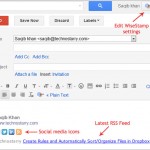
Email signatures need not to be plain looking and boring. Bloggers, webmasters and social media marketers know the importance of this and that’s why they integrate social media icons and RSS feed to email signatures. Even if you are just an individual/professional and want to promote your social media profiles, then emails can be a […]