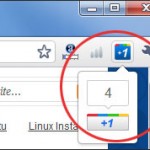
The new Google +1 button is out, and its a social sharing button, which helps you to +1 any link, and it means that you give your stamp of approval or in facebook terms, you “like” that link or website. This helps to recommend good links/websites on Google search. And when you search in Google, […]
Tips
IE Tab 2 Addon for Firefox
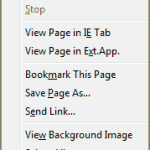
Before launching a site, its very important to test the site in all popular browsers. Internet Explorer being one of them. Difficulties increase when IE is not installed, and you want to test the site in IE. But don’t worry, here’s a Firefox addon which will come to the rescue. IE Tab 2 is a […]
Download Windows Live Essentials 2011 (Full Offline/standalone Installer)
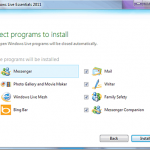
Windows Live Essentials is a suite of free softwares from Microsoft. This is a collection of free utilities like Email client, instant messenger, photo gallery, movie maker, Windows Live Mesh, blog publishing, bing bar and many more useful applications. In this article, you will find direct download link of Windows Live Essentials 2011 Offline installer. […]
Easily Create Mockups & Wireframes Using Balsamiq Mockups
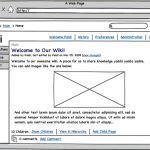
Ever wanted to create mockups easily, in no time ? Everyone doesn’t need Photoshop to create wireframes and mockups. Balsamiq Mockups can help you easily create mockups, and the best thing is that you don’t even need to refer any manual or any tutorial to learn it. Creating Mockups with Balsamiq is very easy and […]
How to Add Google Plus One (+1) Button to your Blog/Website
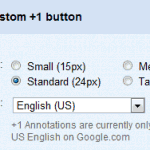
Google has finally launched the new +1 button for websites. Now webmasters can add this Google +1 button to their websites/Blogs. How does this +1 button work ? This +1 button will help you recommend a specific page to your contacts and friends. Example, while searching, you may stumble upon a search result or advt. […]
How to Add Twitter Follow Button

Twitter has introduced the new Follow button. This is a new button, which helps people to follow Twitter accounts directly from the website. This new follow button is more or less like the facebook’s “like” button, which allows easy subscription. You can also see the profile and some of the latest Tweets of the account […]