
The world of ISP’s are increasing day by day. Everybody wants to take their share and earn some bucks. Some are strong players in India like BSNL, MTNL, Airtel, Reliance, You telecom and Hathway. These companies already have many clients, and some provide good customer support, and some don’t even care to receive the calls. […]
How to Use the New App Tabs in Firefox 4

Firefox 4 is out now, and if you are still using older version, then its highly recommended to download and install the new version. The new version comes with some new bells and whistles which makes it stand out from others. More and more people have started to use Firefox because its free and more […]
How to Directly Open Google Chrome Incognito Window
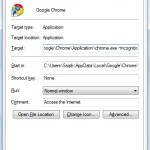
Google Chrome has become very popular in this short span of time. One of the known functionalities of Google Chrome is its incognito mode. Through incognito, one can stealthily surf the web, without leaving any trace. In this short tutorial, we will learn how to directly open Incognito window in Chrome. According to Google Pages […]
Students to Get Free Xbox 360 Console On Buying Windows 7 PC

Microsoft has announced new Back-to-School Offer for Students. It seems that Microsoft Corp. really thinks and cares about students. As per this offer, students who buy Windows 7 based PC which costs over $699, will receive a free XBOX 360 4 GB console. No any other extra costs, and no strings attached. Students can choose from a […]
Best Google Adsense Placement for Blog [Taken from Official Guide]

There are many people earning money by monetizing the Blog with Google Adsense. For them, Adsense is a source of revenue. The million dollar question that sometimes comes to the mind is that where should I place Google ads on my webpage ? This is the official guide and in this guide, you can refer […]
How to Open Any Web Image Directly in Photoshop

While browsing the web, you like an image, and want to open that image in Photoshop. So now which steps you will perform ? Take a screenshot, and then open Photoshop and crop that image, or right click that image, and click on Copy Image. Now just directly paste it in Photoshop. These steps are […]