Pinterest is a an online pinboard where users can bookmark their favorite websites. The site is growing at a fast rate. Those who have tried Pinterest and think that this new service is not for them, then they can delete Pinterest account. It can happen that you lose interest and want to remove data/pins from […]
Paste and Save Images from Clipboard to Windows Explorer Directly
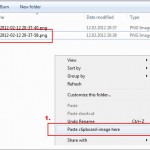
To save images from web, normally we just right click and save the image. That’s easy but sometimes flash images and some other websites have restrictions which doesn’t allow the image to be saved. In such a case, you can use the Printscreen key and then paste the image to an image editor like Paint […]
Mute Firefox Browser with a Single Click or Shortcut Key

When browsing online, some websites automatically start playing music. These types of sites are really annoying to some users as speakers may be on high volume and they’re not aware that any music or sound is going to be played when visiting that site. In such a case you have to either turn off the […]
How to Compress and Reduce Size of PDF File

Sometimes when creating a PDF you wish the PDF’s file size is small. Small PDF file can be easily shared via Email or can be uploaded to some file sharing sites or on the cloud. In this article, you’ll learn how to easily compress PDF files. Images in the PDF play a vital role in […]
Easily Paste Images from Clipboard or Web to Online Using Snaggy

How about a simple and easy solution to paste images online? Whenever we want to take a screenshot and upload an image online, we follow a lengthy process. Press “Printscreen” key, then paste it into an image editor, then save the image to your local hard drive, and then finally upload it online. So many […]
Download Google Web Fonts to Use on your Windows PC
Google web fonts allows a user to embed fonts to website. You can choose from hundreds of free, open-source fonts optimized for the web. These fonts are fancy and looks superb compared to the traditional fonts used in a website. Embedding web fonts using the import declaration is very easy. But did you know that […]