
Windows 8 comes with a new interface and with this new interface comes some new shortcut keys that are never seen before. Keyboard shortcuts are a great way to improve the productivity and speed of using Windows. Microsoft has introduced new keyboard shortcuts for Windows 8 that can enhance your experience of using this new […]
Remove Ads from YouTube On Opera With YouTube AdsFree Extension

We all hate advertisements, especially if they come in between our video viewing experience. YouTube has become a popular platform to watch videos from tutorials to music videos and movie trailers, everything can be found here. YouTube has started to display ads in a variety of different ways like banner ads or in-video ads. These […]
[Step-by-step] How to Install Windows 8 Using VirtualBox

Windows 8 is Microsoft’s upcoming operating system. If you want to try out this new OS, then you can download and try out the Windows 8 Consumer Preview. At this time, its not recommended to install and use this as a primary OS, since its still in beta phase. A good idea to try out […]
Tips to Solve: “Aw, Snap” Error Message in Google Chrome

Those who use Google Chrome browser may have encountered this “Aw, Snap” error page. This error is very well-known to make Chrome users life difficult and solving it can become very tricky. Sometimes the web page just hangs and when you try to kill the page, you’re displayed with this error “Aw, Snap! Something went […]
Get Classic Start Menu and Start Button Back in Windows 8
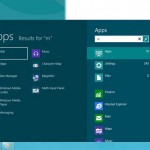
With Microsoft’s next operating system – Windows 8 comes a complete new UI named as Metro. Many users are facing problems and struggling finding the options that were easily available in earlier version of Windows. With Windows 8, Microsoft has decided to dump the traditional start menu. Windows users loved this start menu and they […]
How to Take Screenshots in Windows 8

We already know that in previous versions of Windows, to take a screenshot one has to press the Print Screen key. This would copy the image to the Clipboard and then the user would need to paste the image (using Ctrl+V) into an image editing program to save it. But not so anymore, with Windows […]