Gmail has become a feature rich email and communication web app. The super clean and neat interface is what attracts many users. Apart from the looks, Gmail has many features and functionalities that other other email service providers don’t provide. One of the known functionality in Gmail is that it has Chat integrated to its […]
Now Get 23GB of Free Storage Space on Dropbox
Dropbox has become a popular cloud storage service. Users can backup their files to the cloud and sync it across all devices (tablets, mobiles and computers). It offers 2GB of free storage space to all users but with this small little trick, you can get a whopping 23GB of free storage space on Dropbox. Before […]
Use Windows 8 Codec Pack to Install Codecs & Play Media Files

Many times when running a media file on the system, the file is not played and displays a codec not found error. Windows users regularly face this age old problem. There are some solutions to tackle this problem. Switch to a media player that comes with its own set of codecs that it uses to […]
How to Disable/Remove Explorer Ribbon in Windows 8

Windows 8 comes with many new features that were never seen before. The new Metro user interface gives an entire new look and feel to how Windows function. One of the most prominent feature is the new Windows Explorer with Start screen. If you’ve used Microsoft Office 2010, then you must have observed the ribbon […]
Prevent Your PC From Going Into Power Saving Mode with Sleep Preventer
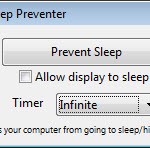
From Power Options in Control Panel, Windows users can configure PC’s power settings. From here they can configure settings to turn OFF the computer to sleep and turn OFF the display in how many minutes. Further advanced options can also be configured about hard disk, USB settings, power buttons, etc. Power savings feature works great […]
Optimize Opera for Maximum Security and Privacy
Opera is also one of the most popular web browser famous for its simple neat interface, speed dial and Opera turbo. You can configure Opera for maximum privacy by changing some options from default settings. The default settings are good in most cases but a user can further configure Opera to get the best out […]