
Transferring a file from PC to Android or Android to PC is a simple task, all thanks to the USB cable that mostly comes bundled with any Android device – be it any smartphone or tablet. Just connect the cable and you’re good to go. While this works perfectly every time, what if you want […]
Android
How to Enable Airplane Mode on Google Nexus 4
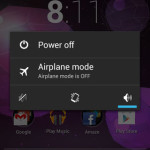
Nexus 4, Google’s latest smartphone comes with impressive specs and affordable price tag. If you’ve got the Nexus 4, then the first thing that you’ll do is to go to Settings and configure the phone as per your requirements. But what if you want some peace of mind, and stay away from phone calls, text […]
How to Enable Silent Mode on LG Google Nexus 4
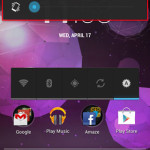
The Nexus 4 from Google has been in huge demand ever since it’s launch. The phone was out of stock for quite some time, but the good news is that the phone is back in stock at the Play Store. If you’ve recently got the Nexus 4, then the first thing that you’ll do is […]
Know About All your Purchased Apps, Along With Their Price on Android
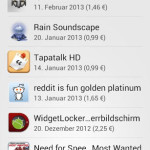
Changes, if they are for good, then we all love them, but sometimes they make life more difficult. For example; Google Play has removed the filter to sort by purchased apps. The problem is that now all the paid apps are mixed with free apps. This means that if you want to know about the […]
Copy/Backup Android Apps (APKs) to SD, Dropbox, Box, PC & More
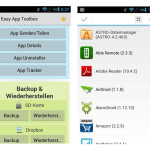
Ever wanted a simple, no frills method to backup your Android APK files to your SD card, PC, or even to cloud storage services like Dropbox, Google Drive and Box? Well, then you can do exactly this by using Easy App Toolbox, a new Android app that allows you to backup all of your apps […]
Set Custom DPI on Android Device, Without Any Compatibility Issues with Google Play
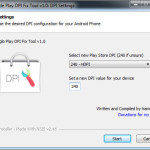
Previously, we’ve learnt how to change screen density on Android device. It basically means to change the default screen resolution to gain more screen real estate. But to do this, you’ll need root access for your Android device. The screen density on Android device is measured in DPI (Dots Per Inch) and if we lower […]