
For iOS Devices, iTunes is like a one-stop to do everything, which allows us to install apps, backup, restore and do just about anything. But the problem with iTunes is that it doesn’t lets us access the file system on our iDevice. Another problem is that you need to sync iTunes with the computer everytime […]
How to Install and Use WhatsApp on Windows and Linux PC
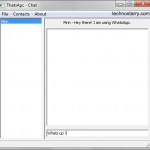
WhatsApp is a popular cross-platform messenger app. It lets you exachange messages without having to pay a single penny. In the core it uses your internet plan to send and receive messages. WhatsApp is available for iPhone, Android, Blackberry, Nokia and Windows Phone. But if you don’t want to use the App on your phone, […]
Taskbar Pinner: Pin Anything to Windows 7 and Windows 8 Taskbar

The taskbar of Windows is very useful as a quick shortcut to access your favorite programs. The Jumplist feature enables the user to access recently opened files related to that program. To access Jumplist, simply right-click on a program and then you can open previously used file directly from there. Windows 8 also comes with […]
Backup Box: Transfer/Switch Files Directly Between Cloud Storage Providers and Servers
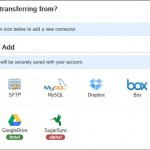
At times you may feel the need to transfer/move files hosted on one provider to another provider. It may happen that you want to transfer files directly from Dropbox to SugarSync, without downloading them to your local computer, and fortunately this is now possible with the help of Backup Box. Of course you can always […]
[Quick Tip] How to Create a Separate URL/Link to Each Post in Tumblr

Tumblr is an amazing microblogging platform. You can easily add different type of posts/media like text, photo, quote, link, chat, audio and video with just a click from the Tumblr Dashboard. Once you click on the option of your choice, let’s say “text”, you can then start writing the post title and body text. Once […]
How to Print Pages from eBooks and eBook Readers
E-books can be conveniently read on computers and on ebook reader devices like Amazon’s Kindle Fire, Barnes & Noble’s Nook, and many other devices. In the older days we could get a print out by simply putting a paperback on a copier and getting the copy but with e-books, things get complicated. Printing an ebook […]