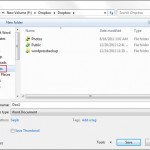
Dropbox is an online file storage and sync service. Files are stored on the cloud and free users can store upto 2 GB of data. The biggest advantage of Dropbox is that files are synced across all devices. For e.g. you can store a file in Dropbox folder in your office and when you reach […]
Web
Hide All Open Tabs with a Single Click & Restore Later [Google Chrome]
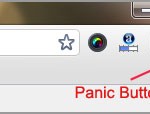
If you’re one of those type who keep on surfing websites all the time and even in office then you may have felt the need to close all the open tabs at once. We don’t like someone peeking around at our private stuff and that’s why when someone comes closer, sometimes we close all the […]
Quick and Easy Screen Sharing with Join.me

Screen sharing is also known as remote access (or remote desktop sharing). This technology helps users to share screen with anyone in the world, and with any number of users. Suppose you want to share a screen with 20 people or want to do a virtual meeting, this is where screen sharing comes to the […]
Add Effects To Photos Online with Picfull

Whenever we think about editing images and adding effects, Photoshop is what first comes to the mind. But not everything needs to be so complex. Photoshop is not that simple to learn and requires much time to get started. Web apps are a life saver when it comes to doing certain tasks, also they don’t […]
Read Newspapers Online with Chrome Extensions

What makes Chrome special is its simple, yet effective user interface. Installing different extensions is a piece of cake and so is the un-installing of extensions. Those of you who are interested in reading news online, instead of opening several news websites, its better to install Chrome extension. Chrome extensions makes it easy to to […]
Automatically Load the Next Page of a Site with AutoPager

Who doesn’t like automation. Have you ever wished to automatically load the next page of a website, without clicking on that next page or pagination links/buttons. AutpPager is an extension for Chrome and Firefox users, that’s lets you do just this. Whenever we think that this is not possible, a useful extension/add-on comes to the […]