
The world of portable apps is awesome. The main advantage or the biggest plus point is that one can run portable apps from any USB flash drive or in any other media, there’s no need to install or follow the setup procedure. Many people don’t know that the popular browser – Google Chrome is also […]
Windows
Remove AMD Vision Engine Control Center from Desktop Right-Click Menu
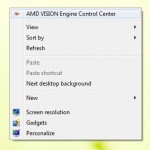
Those who are using AMD’s integrated graphics or graphic card know that after installing display drivers, when we right click on the desktop, the first option is “AMD Vision Engine Control Center”. This is done to for user’s convenience, so that user can open display settings without much hassle. But there are some, who want […]
CrystalDiskInfo – Tool to Check Hard Disk and SSD Health Status
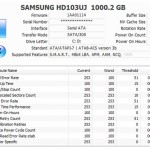
Business and home users are always concerned about their precious data. Hard disk’s can fail anytime. We can say that hard disk crashing is nothing new and many people have already faced this problem. A hard disk failure occurs when a hard disk drive malfunctions due to any reason. The data then is hard to […]
How to Split a Large File into Several Small Files Using Peazip and HJSplit

If you’re using a file sharing site then chances are it will have limitations on the file size for uploading. The popular file sharing site RapidShare has removed maximum file size limitations, but there are limitations on some other file sharing sites like MegaUpload. For e.g. Megaupload free users (non members) have a limitation to […]
TinEye Client: Search Similar Images on Web with a Right Click
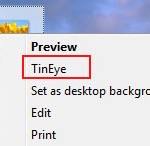
TinEye is a popular reverse image search engine. It lets users to search for similar image across the web. So basically, user needs to upload an image and then it will search across the web for the same image and user will be able to find out how it is being used, where it came […]
Tips to Run Your Windows PC Stable, Smoother and Faster

A new PC which is just purchased runs pretty smooth and fast. The reason behind this is that there are no junk applications, less files clutter and clean registry. With the passage of time, PC gets over burdened by all these things. It runs sluggish, gets hanged for no reason and then we start cursing […]