
One reason why a Windows PC runs slow is the number of startup applications that start with Windows. Such applications will start running in the background when your PC starts and then consume system resources. The only way to stop those applications to use your system resources is to disable/remove them from startup. Fortunately, doing […]
How to Bookmark PDF Pages When You Open it in Google Drive [For Chrome]

Google Drive (previously Google Docs) is a superb way to collaborate on documents, and upload any type of files to the cloud and keep them in sync with different devices. Viewing documents and even editing works great, but there are some things that you still can’t do in Google Drive. Let’s say you don’t have […]
How to Download and Install User Script on Google Chrome Using Tampermonkey

Chrome, from version 21 does not supports installing apps, extensions and user scripts from outside of Chrome Web Store. The most problematic situation is when users try to install scripts from Userscripts.org. When you click on the Install button from the user script page, you’ll get a message that says “Apps, extensions and user scripts […]
5 Best Free Offline Dictionary Apps for Android
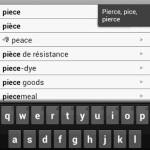
Gone are the days when we used to carry that heavy as well as bulky dictionary book. Apart from the weight, even in daily usage, the paperback or hardcover dictionary is not that convenient to use when we want to find out the meaning of a particular word. We have to search minutely on each […]
How to Hide/Remove Lockscreen Widgets and Camera Access on Android 4.2
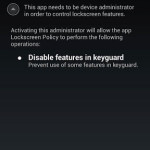
Android 4.2 Jelly Bean comes with the ability to place some predefined widgets to the phone’s lockscreen. While this feature is loved by many, some may don’t want to place any widgets on the lock screen. Agree that placing as well as removing the widget is a piece of cake, but this possesses a security […]
How to Send/Transfer Files from PC to Android Without USB Cable
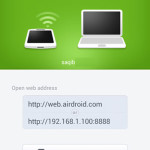
Transferring a file from PC to Android or Android to PC is a simple task, all thanks to the USB cable that mostly comes bundled with any Android device – be it any smartphone or tablet. Just connect the cable and you’re good to go. While this works perfectly every time, what if you want […]