Previously I was using Ubuntu 8.04 and now after the release of 9.04, I thought to give this new version a try. So, I installed this Jaunty Jackalope over my Hardy Heron. The installation was smooth like always. Ubuntu developers have made the installation easy, as compared to 8.04. I chose the new ext4 file system for my Ubuntu partition. One another thing, which I noted is that during installation, there was an option to directly login without entering username & password. A nice feature I would say.
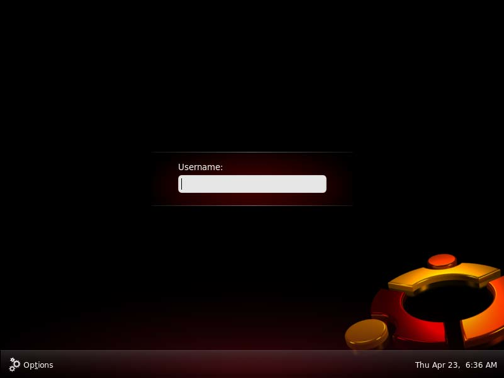
The loading bar and login screen of Ubuntu 9.04 rocks. Its way better than 8.04. I dual boot between Windows and Ubuntu. So this way, I get the best of both worlds.
Now lets talk about the speed. The speed of starting Ubuntu is very good, in my PC it took 10 seconds to boot into Ubuntu. Ofcourse I have to customize it after installation. I installed Adobe Flash plugin, Filezilla and VLC media player, which are my basic requirements. Your requirements may differ. I used Synaptic Package Manager to install VLC player. And manually downloaded Filezilla and Adobe Flash player. And yes, I was able to play almost all formats like mp3, avi, mpeg, etc after installing VLC in Ubuntu. I faced a problem in installing VLC player and drivers for my display (NVIDIA). After much of tweaking, I opened “Software Sources” and first unchecked and then checked the restricted and universe repositeries. Then it downloaded the required information from its servers, and voila, now I was able to install drivers and VLC player. By default, these both repositeries are checked only but then also I unchecked and then again checked it, and this solves my problem.
One more thing that’s worth say. Ubuntu 9.04 includes Openoffice.org 3.0. One of the unknown feature of openoffice.org is that, you can directly export your document to PDF. Now I must say, this feature rocks. It includes openoffice.org Database, openoffice.org Presentation, openoffice.org Spreadsheet, openoffice.org Word Processor. Overall its like a pre installed Microsoft Office (but features of both vary) .
In short, there may be some problem which you may face, but thats how we learn something new, isn’t it. So fellas, I definitely recommend you to install Ubuntu 9.04 and give it a shot. Ofcourse Ubuntu is going better and better, in terms of driver support, features and visual looks. So my conclusion is that, you should definitely try the all new Jaunty Jackalope and this was my first look at it. Go ahead, install this.
Anonymous says
how do you make you log in screen like that?
comp@ddict says
One thing, for those who want the eye-friendly(candy filled) uBuntu 9.04, Linux Mint 7 is out.
Just for info.
Dim says
Flash is a part of Ubuntu restricted extras package. Flash also can be installed just by browsing to a website requiring Flash.
You could use Applications->Add/remove and install VLC without any “Software sources” changes.
Seems that you did it wrong when installing nVidia driver. Drivers are activated via System->Administration->Hardware drivers (just click “Activate” for the driver in the list). No need for any tweaking at all in this case.
So no problems at all when you know how to use the system.
Venu says
Generally, the first thing I advise people to do after a fresh install of Ubuntu is install the package “ubuntu-restricted-extras”, from the repository.
This package bundles all the “non-free” binaries like adobe flash, multimedia codecs, unrar, ms-fonts etc.
Saqib says
@ Von: I installed NVIDIA drivers from there only, but previously it was stuck at 0 %, and then it worked after a restart.
@Venu: Ubuntu-restricted-extras can also be installed by writing this in terminal: sudo apt-get install ubuntu-restricted-extras , right?
Gen2ly says
Just a quick note. It’s better if you install Flash and Filezilla with the package manager. This way updates and removes are alot easier.
Saqib says
I tried to, but don’t know why, I could not find these two in package manager.